Should You Hire a Content Guerrilla to Cover Your Wedding?

June 14th, 2010

I was in my buddy Pete‘s wedding this weekend. While standing around waiting to be photographed while wearing a tux in the sun, I got to thinking: in the age of the Internet, why can’t we share some of these photos immediately?

So, I pulled out my phone, shot a quick photo of the bride and groom, and posted it to my blog.

Voila. I got the scoop. I was the first to publish a photo of the newly married couple.

That was easy.

Then I really got to thinking:

  • There’s got to be interested folks from out of town who couldn’t make it
  • We could have livestreamed the ceremony and reception
  • We could set up a Flickr group for folks to share their photos
  • We could capture video clips and quick interviews with guests and share them online
  • We could treat this wedding as a major media event!

Could these new online capabilities spawn an entirely new industry — a “wedding web content” industry?

All this helps prove my idea that content is all around us and all we have to do is capture and share it.

Confessions of a Mediavore: Programs, Tools and Sites I Always Keep Open

June 8th, 2010

The trick isn’t to try to “drink from the fire hose.” That can only lead to pain and frustration. In fact, don’t even think of it as a fire hose. It’s much bigger and deeper than that. Think of it as a raging river.

Instead of trying to drink the whole river, just bring a cup or a jug (depending on your thirst for media) and dip it into the river of media whenever you want a drink.

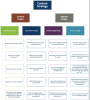
My strategy is to set up my workspace alongside the river. In fact, I spend most of my day at a Niagara Falls-sized confluence of information. Here’s what it looks like (click on image for large version):

  • A) Gmail: This is my personal e-mail inbox where I receive all my personal correspondence, subscription newsletters, marketing e-mail that I signed up for, etc. Google Chat and Google Buzz are also part of this tab. I use Google Chat to chat with a few close friends. I don’t use Google Buzz much at all.
  • B) Google Reader: This is my RSS reader. I use it to subscribe to and stay updated on more than 250 blogs. I also use it to share great stuff I read with my friends and followers on Facebook and Twitter.
  • C) Facebook: There’s a lot happening on Facebook. It’s important to have good filters set up to remove the crap (third-party apps, quizzes, Farmville, etc.) from your news feed here. Once set up properly, you’ll get a good sense of what everybody is talking about and be able to easily jump in and interact in those conversations.
  • D) Slacker Radio: This is a personalized radio station a lot like Pandora, but without the annoying monthly limits. I set it to music I can easily ignore in order to drown out office distractions and focus on work and media reading.
  • E) Google Search: I always have a browser tab open for random Google searches I have to do throughout the course of the day. As a copy editor, I spend a lot of time fact checking. I use Google a lot.
  • F) TweetDeck: This is my master control center for Twitter. I have multiple columns set up in TweetDeck to help keep an eye on my tweet stream (I follow more than 1,000 people), my mentions, direct messages, lists, search terms, etc.). Some people also use TweetDeck to monitor Facebook, LinkedIn and Google Buzz, but I don’t.
  • G) Microsoft Office Communicator: Are you a coworker and need to get a hold of me? Use this unified communications tool to IM me. You’ll get a response quicker than if you try to phone me. Communicator also supports voice chats and video calls (like Skype) and desktop sharing (like GoToMeeting). It integrates nicely with Outlook and LiveMeeting.
  • H) Microsoft Office Outlook: I use this for work e-mail. I set up a whole bunch of elaborate filters so that my inbox is usually empty. Whenever I get new mail, I treat it like a hot potato. If it doesn’t have an action item in it or it doesn’t fit into a category of information I need, I delete it immediately. Action items get taken care of immediately. Items that require responses are responded to immediately. Inbox stays empty. When I have an empty inbox, I am free to explore my other stuff.
  • I) Windows Internet Explorer: I use this only for work-related tasks that require the company intranet. I usually have three browser tabs open — my team’s Microsoft Office SharePoint team site, my team wiki and my team’s wiki site of client style guides. It makes for very efficient workflow.
  • J) Microsoft Office Word: Almost all my editing work is done in Word. If I have a Word document open, I’m focused on editing it.

If I get bored, sometimes I check on my LinkedIn account or the various blogs I maintain myself (see sidebar). When I’m not at work, I have a similar set up at home, but I incorporate Netflix, podcasts, audiobooks and ebooks into the mix. When I’m on the go, I carry my Gmail, Google Reader, TweetDeck, Facebook, music, audiobooks and ebooks with me on my iPhone or iPad.

If I had a TV, I think I’d be wasting most of my time on useless crap instead of news, education and useful information.

How do you keep up with stuff? Do you think I’m nuts? Let know in the comments.

Now You Can Personalize Your Google Search Page

June 3rd, 2010

Now, every morning when I start up my browser, my mom’s lovely, smiling face greets me.

Google now allows you to personalize your search page. Just look for the little link in the lower left corner at Google.com. Maybe this friendly face will get me to actually visit Google.com more than once per day. In my normal routine, I only see it when I boot up my browser for the first time every day. Every web search I do from the address bar of Chrome.

After you upload your photo, make sure to TwitPic it with the hashtag #MyGooglePage.

The story behind my photo

I took this photo of my mom a few summers ago in Wisconsin while we floated down the Apple River on tubes. The hand holding the Miller High Life belongs to me. It was a sunny and wonderful day. It was one of the few truly awesome experiences I’ve had as a family since I’ve been an adult. You can see more photos of this tubing adventure in my Wisconsin Vacation album on Flickr.

What are You Doing With Your Cognitive Surplus?

June 1st, 2010

People often think I’m a douchebag because when I’m asked if I saw <insert name of TV reality show, soap, drama or sitcom here>, I answer “I don’t have a TV,” which completely kills the conversation.

That’s probably for the best, because I’d be an even bigger douchebag if I pointed out how much of their cognitive surplus they’re wasting by passively watching crap TV.

If you haven’t guessed by now, the term “cognitive surplus” was coined by Clay Shirky to describe the time freed from watching TV that is redistributed to other (oftentimes more useful) tasks and thoughts.

I immediately fell in love with the term and the concept when I saw him talking about it on YouTube (videos embedded below).

He actually wrote a whole book about it and it’s coming out in a couple of weeks. I can’t wait to read it.

All this pondering about the cognitive surplus is a direct result of putting my own cognitive surplus to use. In the past eight years, I’ve only had a TV in my apartment for half that time (while I had a roommate) — and, not so surprisingly, I’ve found that I’m insanely more productive when I don’t have that cognitive suck as the centerpiece of my living room.

By turning off the tube over the years, I’ve magically found time to work a second job (three of them), complete a full-time semester of community college classes, start my own business, become politically involved, build several websites from scratch, and become an avid hiker. I’ve also read a whole bunch of books and watched a ton of TED talks and university lectures on YouTube.

The lack of TV has made me a better person. I’ve reacquired tube time and put it to practical use. Can you imagine what will happen to society as a whole when everyone frees up their cognitive surplus? I can’t wait to see!

If you still don’t understand what Shirky means, check out these two videos of him explaining it more than two years ago:

Using Technology to Help Me Lose Weight and Get Into Shape

May 24th, 2010

I’m fat.

I stepped on the scale this morning and it appears I have once again eclipsed the magical 300-pound mark. How embarrassing.

It’s time to prioritize my health instead of work, social networking, education and other things I’ve been using as excuses. Now, how can I trick myself into believing a healthy exercise regimen and sensible diet are fun? The answer for me is, of course, to figure out a way to geek out while accomplishing these goals.

Geocaching
I’m pretty sure Geocaching was invented to trick geeks into leaving their computer terminals to go for a walk in the woods. The premise: a real-life treasure hunt for people with GPS devices. Go to Geocaching.com to find info, including GPS coordinates, of the cache you want to find. Then, just navigate to the treasure. A lot of caches are in urban parks and public property, but the most challenging caches, with the best booty, are often located off hiking trails deep in the woods.

RunKeeper
I used to use RunKeeper to track walks with my beloved pooch (@ReeseTheDog), but she’s living the leash-free good life now on acres of wooded land owned by my parents. It’s a lot tougher to motivate myself to walk without her, but when I do, I’ll be able to track my time, distance and calories burned with RunKeeper. Plus, it also maps my route so I can duplicate my route for consistency. Anyone taking bets on how long it will take before I can actually run a route instead of just walk it?

DailyBurn
The data nerd in me wants to take a data-driven approach to getting fit. In order to do that, I need a centralized place to collect, sort and synthesize all the data. That’s where DailyBurn comes in. It’s a lot like other dieting websites. I can enter my meals and exercise and it calculates my calories consumed and burned to help keep me on track. It also integrates with other gadgets and services, and it also features support groups, motivators and discussion boards.

Withings Scale
Speaking of gadgets integrating with DailyBurn, the Withings scale is one of them. This Wi-fi-enabled scale records your weight, body-mass index and other measurements, and sends them to the web. If I ever splurge and pay $159 for one of these bad boys, you can bet that I’ll not only sync my info with DailyBurn, I’ll also broadcast it to the entire world via Twitter. Public shame can be a good motivator for losing weight, right?

Google Maps Bike Routes
Eventually, I’ll get sick of walking around my neighborhood and I’ll need to go a bit further. It seems like jumping on a bicycle would be a good way to accomplish that, but urban bike-riding can be daunting to a beginner. Luckily, I can get a clue by checking out the bicycling view in Google Maps before my ride. Even though it doesn’t tell me that 23rd Avenue is a huge hill, it does tell me that I can pedal there without being flattened by a semi truck.

Do you have any technology tips to help a fat geek get back into shape (other than going to the gym)? Tell me in the comments.